Skip to content

Need people to learn what a manual cannot show?

Some equipment is too big, too busy or too risky to practise on, and a page of instructions only gets people so far. We build training with you that staff, students and new starters can see, try and repeat.

The idea Teach every shift to look after the machine without a trainer on site

Where training stalls

Some jobs cannot be practised on the real thing.

A manual can list every step and still leave people unsure, because they have never seen the part it describes.

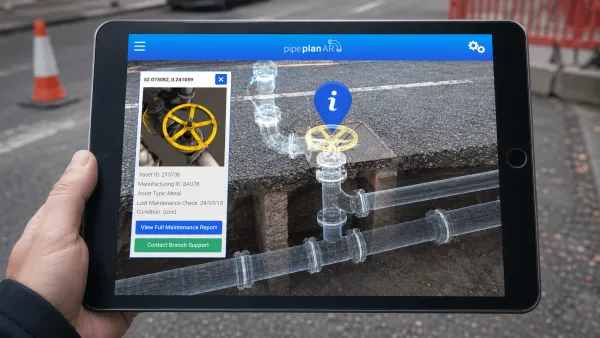
The real thing is often out of reach: too big for a classroom, too busy to take out of service or too dangerous for a beginner. Adding 3D to the written material, in the browser with WebXR, lets people see what they would otherwise only read about, such as a medical procedure, before the course begins. Where the work is dangerous, that first look is a safe one.

We build this with you for staff, new starters and classrooms.

One job, three ways

Read it, watch it, then do it.

Changing the water filter on a drinks machine, written as an example for this page. Read it as a manual, watch it as a film, then try it yourself.

Service manualSection 4.3

Replacing the water filter cartridge

Example drinks machine. Parts: one replacement cartridge.

Warning. Isolate the power and the water before you touch the filter head.

  1. Switch the machine off at the wall isolator and wait for the display to go dark.
  2. Turn the inlet valve lever a quarter-turn, so it sits across the pipe.
  3. Twist the old cartridge a quarter-turn anticlockwise and lower it out of the head.
  4. Push the new cartridge up into the head and twist it clockwise until it clicks.
  5. Turn the lever back in line with the pipe and check the joint for drips.
  6. Switch on at the isolator. The machine runs a flush before it will serve.

See section 4.4 for the flush cycle.

Read it

A page of the manual

Everything is there, in order. The reader still has to picture each part, and what a quarter-turn looks like.

03 Twist the old cartridge a quarter-turn anticlockwise and lower it out of the head.

Watch it

A short film

Each part is shown as it is used, at the film’s pace rather than the learner’s.

  1. Switch off at the isolator
  2. Close the water valve
  3. Remove the old filter
  4. Fit the new filter
  5. Open the water valve
  6. Switch back on
Isolator Bean hopper Filter Drip tray New filter Water valve

Do it

Hands-on practice

Pick the parts in the order the job needs. A wrong pick tells you why straight away, and nothing is damaged.

  1. Switch off at the isolator
  2. Close the water valve
  3. Remove the old filter
  4. Fit the new filter
  5. Open the water valve
  6. Switch back on

From idea to story

Training at more than 8,000 machines

Costa Express machines stand in more than 8,000 shops and forecourts across the UK, run by partners’ staff on every shift. Sending a trainer to each one is not practical.

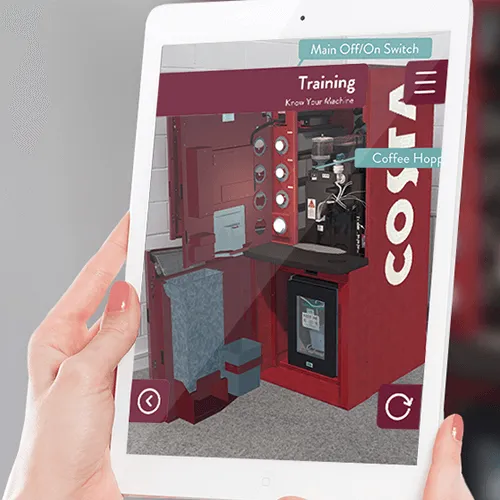
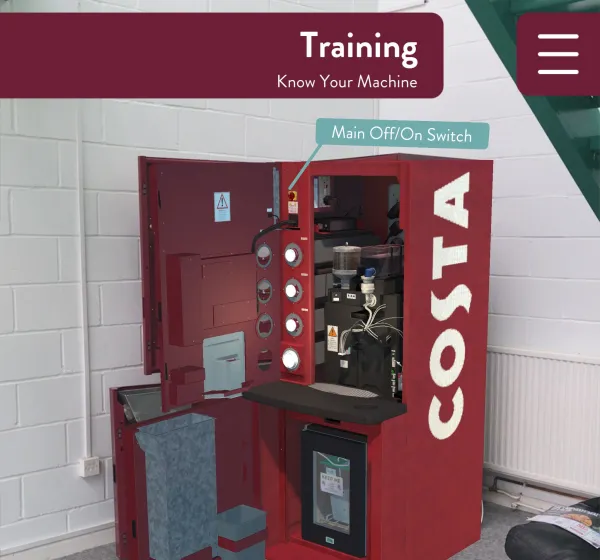
Costa Express Support: the machine at full size on a tablet, with each part labelled.

Together with Costa we built the Costa Express Support app, which staff use on their own phones and tablets. Augmented reality puts the machine in front of them at full size, so they can take basic training, follow the key maintenance procedures and diagnose errors at their own pace.

Progress is recorded on a secure online platform, so the team can see training by person, by site and by machine. Read the Costa story.

Practice without the risk

“You can’t physically site a caravan without a qualification. It’s a real catch-22.”

Sallyann Adams, head of training at the NCC Academy

Together with the NCC we filmed a real caravan siting from start to finish in 360 and turned it into eight short chapters in virtual reality. Trainers move every headset in the room on to the next chapter together. Read the NCC story.

Training together

Train together from anywhere

In 2021 we won Innovate UK funding to build a training platform that saves people travelling to learn. Trainees join one virtual room, alone at any time or in a group session booked like a Teams call.

Instead of a grid of faces, everyone is in the space together, talking and passing equipment to each other. The trainer runs it all from a desktop application, with no need to know the latest headset. See virtual reality.

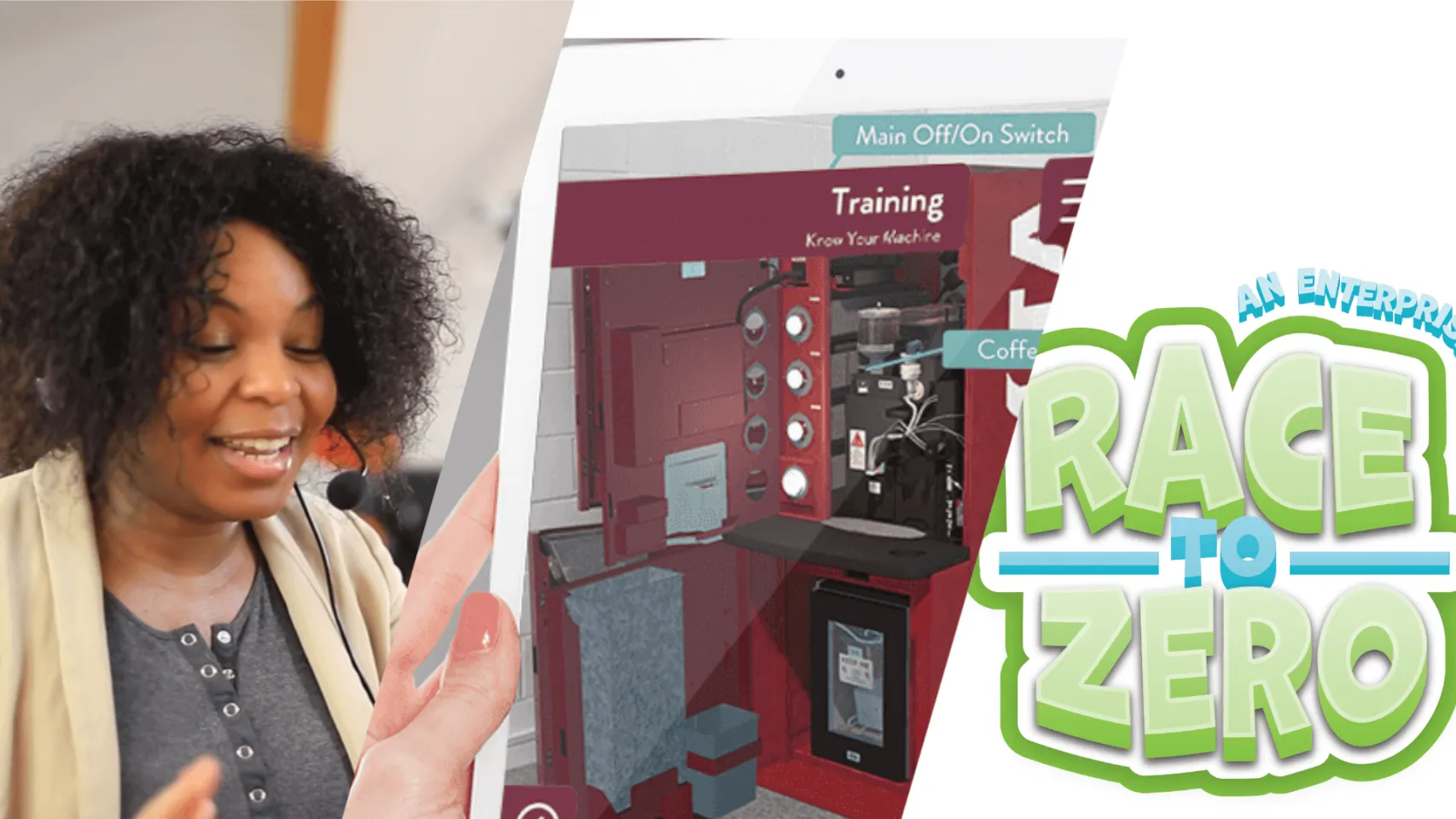
Race to Zero: students choose a name, then run a town.

In the classroom

Lessons students take part in

We plan lessons with teachers that students do rather than watch.

With Fife Council we made Race to Zero, an enterprise game for 12 to 16 year olds. Each decision changes a town’s zero carbon energy use, its population and its economy, and a session lasts about 40 minutes, so it fits a lesson.

The Brain shows a human head in augmented reality. Students peel away its layers while a voice-over explains each part, which helps learners with learning difficulties.

For new starters

An induction people explore

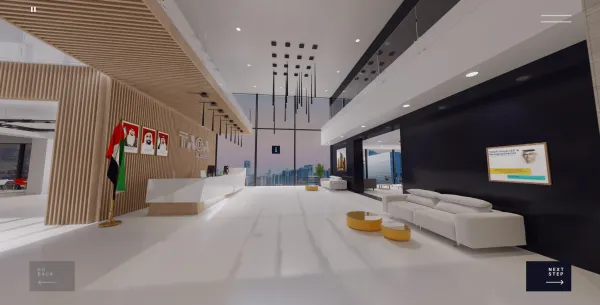
Onboarding often means a stack of reading, with little sign of how much has gone in. A 360 tour in the browser lets new starters walk round the places that matter to your organisation without travelling there.

Hotspots open animations, avatars, films and sound, and game techniques give people a reason to find every one. On a phone or tablet the view follows the way you move.

How we work

From the job to the first trainee

  1. Start with the job

    We sit down with you, your trainers and the people who do the work, and find the steps people get wrong.

  2. Choose the medium together

    A manual page, a film, a 3D model on a phone or a headset session: we decide with you what each step needs.

  3. Build one module first

    We put one module in front of trainees early and change it with you before building the rest.

  4. Roll it out and follow progress

    We launch it with you and report who has completed what, so you can see where people need help.

Questions

Good to know

  • What kinds of training do you build?

    Training for staff on the job, inductions for new starters and lessons for classrooms, on phones, tablets, headsets and in the browser.

  • Can it run on the phones and tablets people already have?

    Yes. Staff use the Costa Express Support app on their own devices, and a 360 tour in the browser needs no app at all. We choose the device with you once we know where people will learn.

  • Can a trainer run a session for a whole group?

    Yes. In a shared virtual training room everyone joins the same space, and the trainer runs the session from a desktop application.

  • Can we see who has completed the training?

    Yes. Progress can be recorded through a secure online platform and reported by person, by site or by piece of equipment, as it is for the Costa Express Support app.

  • Do you build for schools?

    Yes. Race to Zero, made with Fife Council, runs in sessions of about 40 minutes so it fits a lesson. We plan the length and content with the teachers who will use it.

Your idea

Talk it through with us

Tell us what you are trying to explain, launch or change in your sector. We will work out with you which medium suits it.

Your turn

What’s your idea?

Tell us the idea you are trying to explain, launch or change, and together we will find the right way to tell it.