Do you know what people do inside it?
Your virtual reality training is live. Now you need to know who finished it, how they scored and which part held people up.
The idea A virtual reality training experience for our teams
An example
What the numbers look like
This is the report for a virtual reality training course. The figures are made up to show the shape of a dashboard, not the results of a real project.
This week: 92 people finished the course, with Thursday the busiest day at 26. Module 3 held people longest, at 9 minutes on average. Most scores landed between 60 and 89.
This month: 315 people finished, and each week was busier than the one before, from 61 to 92. Module 4 took longest, at 9 minutes on average. Most scores landed between 60 and 89.
By team: Team A finished most, at 96, and Team D least, at 48. Across all four teams, module 4 took longest at 10 minutes on average, so it is the first place to look. Most scores landed between 60 and 89.
Start with the questions
What do you need to find out?
The questions decide what is recorded. These are the ones we hear most.
-
Where do visitors give up?
A visitor attraction usually wants to know which parts of a site people reach, which stops hold them and which they walk past.
-
Who has learned it?
A learning team wants completion and competence: who finished, what they decided and how they did.
-
Did the demo hold anyone?
A marketing team wants to know whether a demo kept people’s attention, and for how long.
What we build
The system behind the experience
Most of what we make comes with a system behind it: a CMS an editor logs into, a dashboard that shows what people did and an API that feeds the numbers into something you already run.
We have built web systems since 1995 and immersive experiences for much of that time, so the reporting comes from the people who built the app. It is specified at the start, with you, rather than added once the build has shipped.
A CMS with live analytics
Our GLME framework runs our location and marker apps. Content and locations are managed in its CMS, and the same system reports live analytics for each location, so you can see which stops hold people and which they walk past.
Dashboards, roles and APIs
The reporting side is a web system of the kind we build for clients in its own right: custom dashboards, user roles and content workflows, with an API so the data can go into a learning platform, a reporting tool or a CRM instead of sitting in a second place. Some systems we first deployed nearly a decade ago are still running and still being updated.
Automatic scoring for training
In our AI-driven training simulations the system scores the decisions, words and actions it saw and gives feedback straight away. Those scores go into the same reporting, so a facilitator does not have to sit in on every session to know how a learner did.
Our rule
Most of the discipline is in what you choose not to record.
Recorded with care
What can be recorded, and what should not be
Immersive kit can capture far more than a project needs. We collect what your question needs and nothing else, and handle it under UK GDPR in the same way as the user data in our web work.
What headsets and phones can capture
Each of these is available. Each is recorded only if a question needs it.
- Head and hand position
- Where someone is looking
- The dimensions of the room
- Location
- Device identifiers
What we agree with you first
Four decisions, made before anything is recorded.
- Anonymous or identified. Most questions need only the pattern. Where you need a named record, such as a training completion tied to an employee, we design for that on purpose.
- How long it is kept. Data stays only as long as it is useful, then it goes.
- Who can see what. Access, and what people are told about it, are agreed with you as part of the build.
- Who owns it. You do. The reporting system is built for you, and you can export from it or pull the data into your own tools.
How we work
From first question to the first report
-
Start with the questions
We agree with you what you need to know, because the questions decide what is recorded. If you are still deciding, a consulting and workshops session is a good place to begin.
-
Record it as we build
Our developers add the events while they build the experience with you, and together we decide what is anonymous and what is identified.
-
Read it and act on it together
You log into the dashboard, receive scheduled reports or pull the data through the API, and we decide with you what to change next.
Built and run by Harmony
RVeal: browser AR from a link
RVeal is our own platform for browser-based AR and 3D. You build the scene in the browser and publish it to a link, and your audience opens it by scanning a QR code or tapping the link. There is nothing to install and no app store queue, and a change to the experience is live the next time someone opens it.
It is the clearest example of the system behind the experience. We designed it, we host it and we run it, from the editor through to the tracking that finds a floor or a printed image and holds the scene in place. Put a QR code on something people already touch, share the link and watch the dwell-time figures.
-
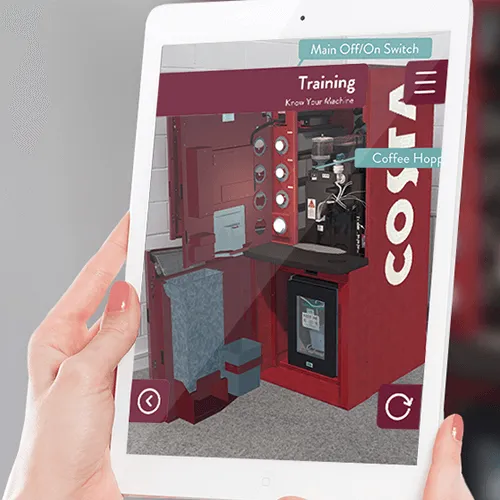 Training & Education
Costa
Costa is providing accessible and intuitive training and troubleshooting using augmented reality.
Read the story
Training & Education
Costa
Costa is providing accessible and intuitive training and troubleshooting using augmented reality.
Read the story
-
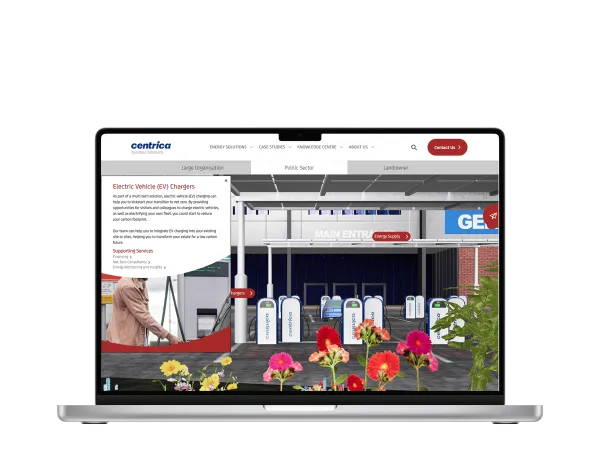 Industrial
Centrica Business Solutions WebXR
Discover sustainable energy solutions with Centrica Business Solutions’ immersive 3D WebXR experience, crafted by Harmony Studios....
Read the story
Industrial
Centrica Business Solutions WebXR
Discover sustainable energy solutions with Centrica Business Solutions’ immersive 3D WebXR experience, crafted by Harmony Studios....
Read the story
-
 Training & Education
Unity WebGL HDF5 Data Visualisation Tool
Take a magical journey across Fife using augmented reality and follow the footsteps of past Kings and Queens.
Read the story
Training & Education
Unity WebGL HDF5 Data Visualisation Tool
Take a magical journey across Fife using augmented reality and follow the footsteps of past Kings and Queens.
Read the story
Questions
Good to know
-
What can be recorded?
Where people went and in what order, how long they stayed, what they picked up or chose and where they stopped. In a scored training scenario, it also records the decisions each person made and how they did.
-
Do we own the data and the dashboard?
Yes. The reporting system is built for you and the data is yours. You can log into it, export from it and pull it into your own tools through the API.
-
How does this work under UK GDPR?
We decide with you what needs to be identified and what can stay anonymous, then collect only what your questions need. How long data is kept, what you tell people and who can see what are agreed as part of the build.
-
Can the data go into our own tools?
Yes. An API can feed a learning platform, a reporting tool or a CRM. Where a scheduled export suits you better than an integration, we build that instead.
-
We are not sure what to measure. Where do we start?
With the questions you need answered. Our Consulting & Workshops sessions are often where that conversation starts.
Your idea
Talk it through with us
Tell us what you are trying to explain, launch or change. We will work out with you whether this is the right medium for it.
Also in Digital Solutions
Other ways to tell it
-
Gamification
Your training is built and you can see how people use it. Now you want them to finish it, and to go again for a better result. Gamification gives them a reason to.
-
Artificial Intelligence integration
AI lets an app, headset or web system recognise what a camera sees, understand what people write and find patterns in data. In your training experience, it could recognise the kit a trainee points at.
-
Web systems
Most apps and experiences need a system behind them to change the content, manage who has access and keep the data safe. Edit something once in a web system we build with you and every device shows it.
Your turn
What’s your idea?
Tell us the idea you are trying to explain, launch or change, and together we will find the right way to tell it.