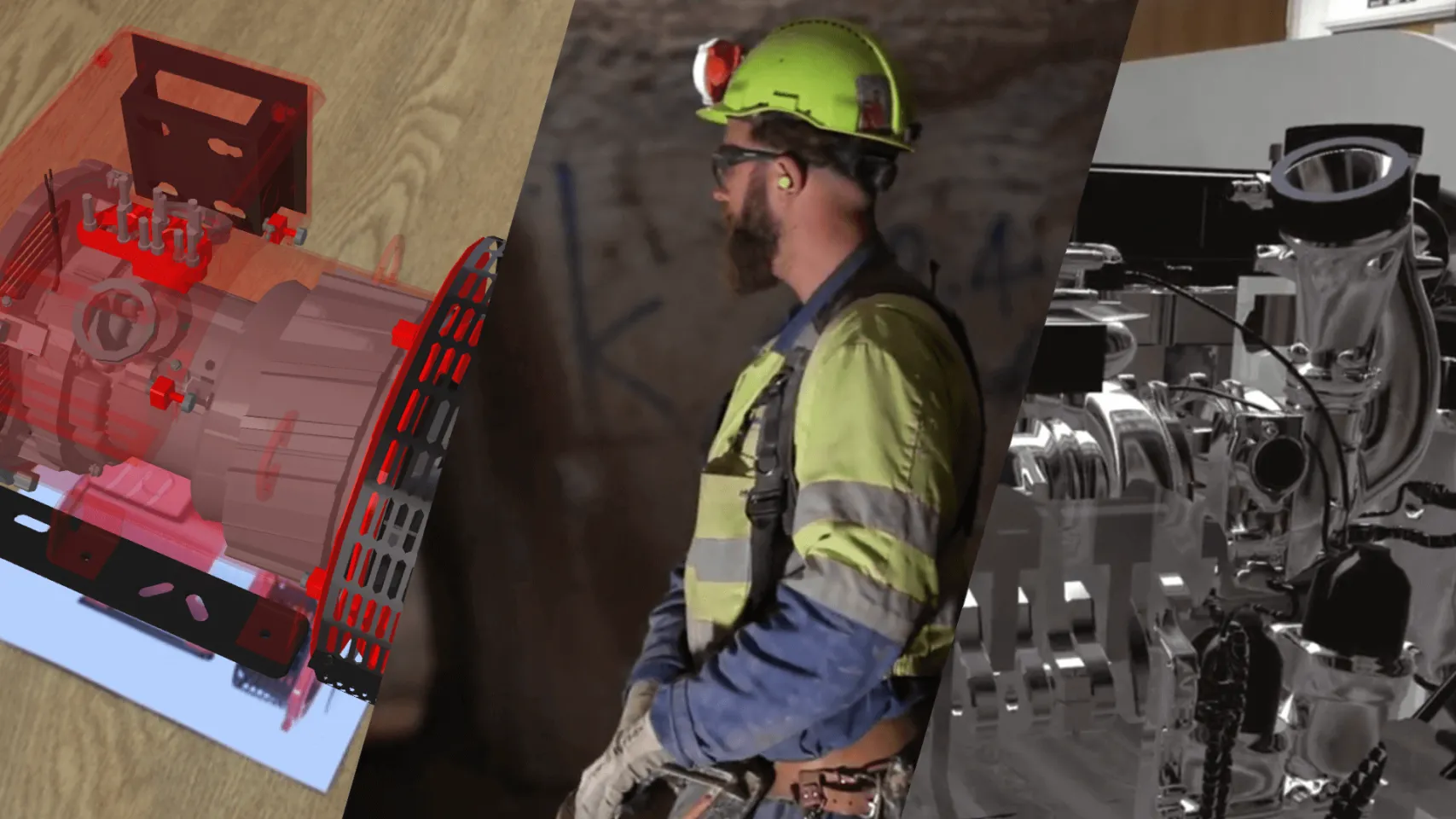
Within a single app we can show entire ranges of products, allow for customisation, demonstrate uses, provide component views and visualise training and in-use functions. The in-app content used to create these functionalities usually uses 3D models from production drawings or CAD files, however we also produce 360 video content (such as for real estate or medical demonstrations) to include in the apps too.
In terms of distribution, we understand that many industrial apps are solely for internal corporate use, which is why we offer the option to distribute our apps publicly or on enterprise systems – we can also create secure online databases to record and present app user data if required.
Product Demonstrations
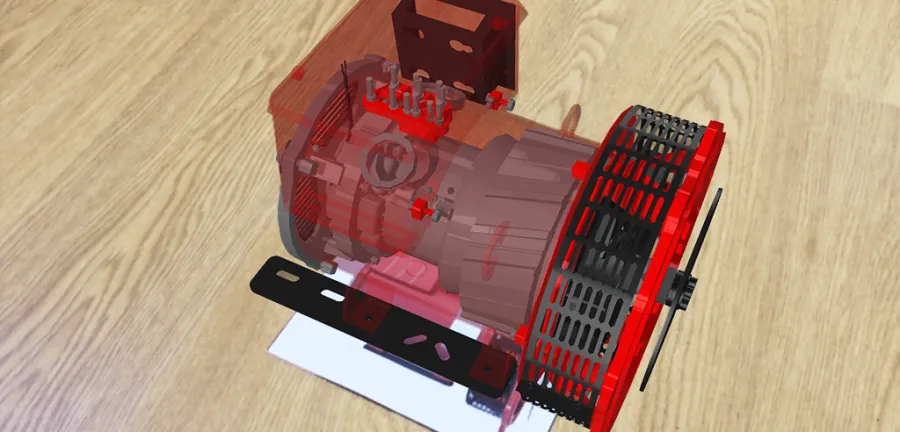
We have created a large range of product demonstration applications for global clients. These types of apps usually work in one of two ways – by recognising the product itself and materialising animations, overlays and information directly onto the relevant parts of the product or by using an image target to trigger a 3D representation of a product that isn’t physically there.
By using AR to display products and functions in 3D it can enable establishments to significantly reduce their staff training and troubleshooting costs as users can physically see and interact with the products and instructions, creating a similar level of effectiveness as if they were getting face-to-face training.
Cummins are the World leaders in the design and manufacture of turbines, generators, and alternators. In conjunction with their creative partners, Artisan, we created a method of using AR for the product launch, press, customer support and a long-term sales campaign.
The final app allowed users to visualise, compare and explore the products and their different sections, read key information about the components and watch video demonstrations.
Process Simulations
Augmented and Virtual Reality (VR) allow us to visually simulate how products and processes work. This is helpful when attempting to demonstrate future developments of a product or process before it goes into production.
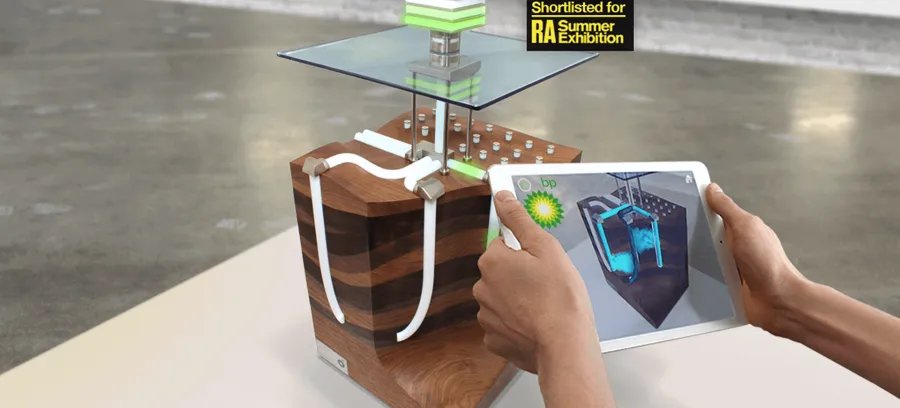
Working with Designworks, BP asked us to create a series of interactions that enabled users visualise a range of innovative new processes, triggered by custom models of their creation.
We delivered these visualisations using AR and VR visualisations that allowed users to view the various processes and their effects in different environments.
Recruitment and Training
AR apps can deliver vast amounts of information in ways which are visual, easily understood, and also simple to obtain.
It can be used to appeal to digital generations and get them more interested and enthusiastic about a brand, product, or topic and can help create a memorable impression on consumers.
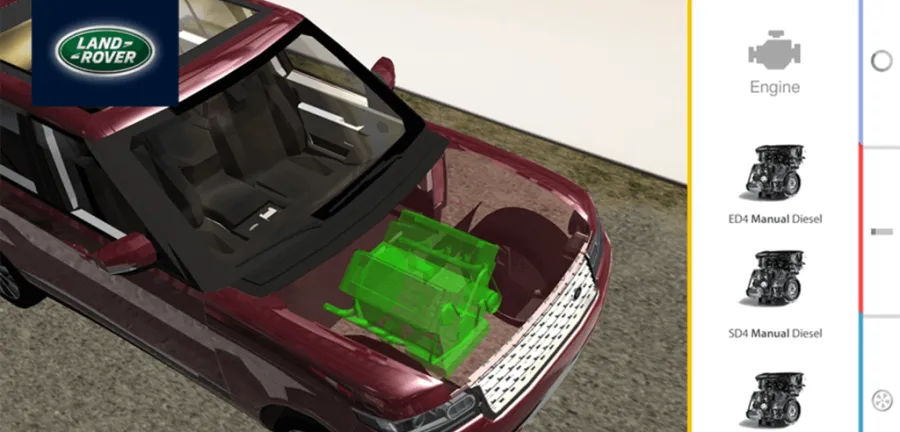
Jaguar Land Rover approached us when they were having difficulty getting younger generations interested in careers and apprenticeships within the brand. Together, we created an AR app that worked in combination with their direct mail and event leaflets and that allowed users to see X-Ray views of the cars, customise their own dream model, and even drive it around the room using on-screen controls.
Large Scale Visualisations
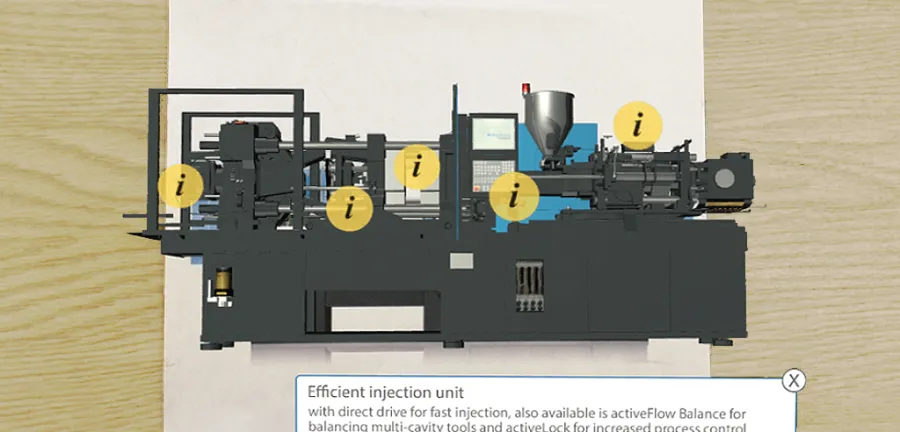
How do you demonstrate a set of machines all over the world when each one can fill the average room? Using AR or VR is an efficient solution to overcoming resource and space constraints such as those faced by Sumitomo Demag.
We were able to create an app that demonstrated the complex components and operations of their machines and allowed users to tap on interactive touch points for more information. This enabled potential investors to preview the product and to make sure it would suit their requirements before making large investments.
WebXR Visualisation
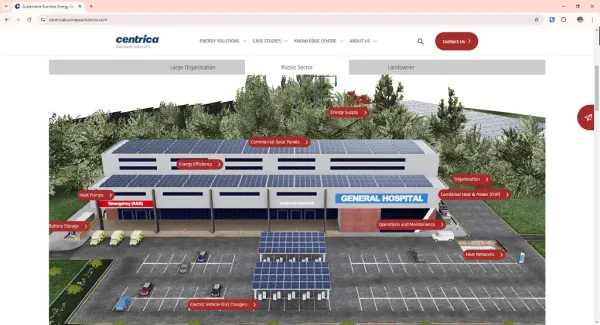
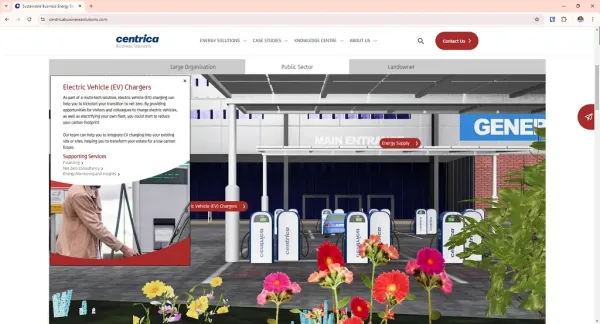
WebXR technology is revolutionising industrial solutions by offering immersive 3D experiences directly in the browser, without the need for specialised hardware. From virtual product demonstrations to detailed walkthroughs of complex systems, WebXR allows businesses to present their offerings in an engaging and interactive way. Whether showcasing large-scale machinery, sustainable energy solutions, or intricate manufacturing processes, WebXR enables clients and stakeholders to explore and interact with products and services in-depth, enhancing understanding and decision-making in a cost-effective, accessible format.
We developed a WebXR solution for Centrica Business Solutions, which exemplifies this by bringing their energy offerings to life in 3D within the browser. Prospective clients can explore a wide range of sustainable solutions—from commercial solar panels and heat pumps to CHPs and EV charging stations—all in an interactive, immersive environment that makes complex information easy to understand and engage with.
Ready to Transform Your Processes with AR & VR?
Harness the power of AR and VR to bring your products and processes to life. Whether you’re looking to simulate complex industrial operations, engage new talent, or showcase innovative solutions, our immersive visualisations help you demonstrate the future before it arrives. From large-scale machinery to interactive recruitment tools, our AR and VR solutions simplify complex ideas and leave a lasting impact.
Get in touch today to see how we can help you visualise your next project with cutting-edge AR, VR, or WebXR technology!
Augmented Reality (AR) has many applications in industrial and manufacturing solutions and we have been at the forefront of designing and building apps for many companies within these sectors.
The purpose of AR – projecting digital content into the real world – allows objects to appear in proportion to the surroundings and be better evaluated, understood, and demonstrated than print or video may allow, making it ideal for industrial training and troubleshooting.
Related work
Max 500 characters (0/500)