Case study
What if your website could quote like your best salesperson?
Quince Stoneworks have made stone worktops since 1973 and have worked with us since 2006. In 2026 we rebuilt their site together. It now gives an instant quote that follows their own pricing rules and shows a catalogue of over 1,000 stones, which we put together with the help of AI. The team manages every quote in one place.
The idea Give anyone a worktop price they can trust, wherever they ask
The project in figures
- Over 1,000
- stones in the catalogue
- 19
- brands, including Silestone and Neolith
- 5
- steps from a stone to a price
- Nearly 3,000
- postcodes matched to a delivery band
- 20
- years working together
01 The brief
A long-standing client, ready for a rebuild
Quince Stoneworks have been a client since 2006, and the online quote form we first built for them served them for years. By 2026 the business had more brands, more ways to finish a worktop and customers who expect a price while they are still looking.
So we sat down with the team and agreed four things to build together.
-
A site brought up to date
Clearer, faster and as easy to use on a phone in the showroom as on a laptop at home.
-
An instant quote
A form that prices a kitchen the way the team does, down to the cut-out for the hob.
-
The whole range of stone
Every material from every supplier, with a photograph, a colour and a type.
-
One place for every quote
An admin area built for the team, whether the customer is online, in the showroom or on the phone.
02 The instant quote
Five steps from a stone to a price
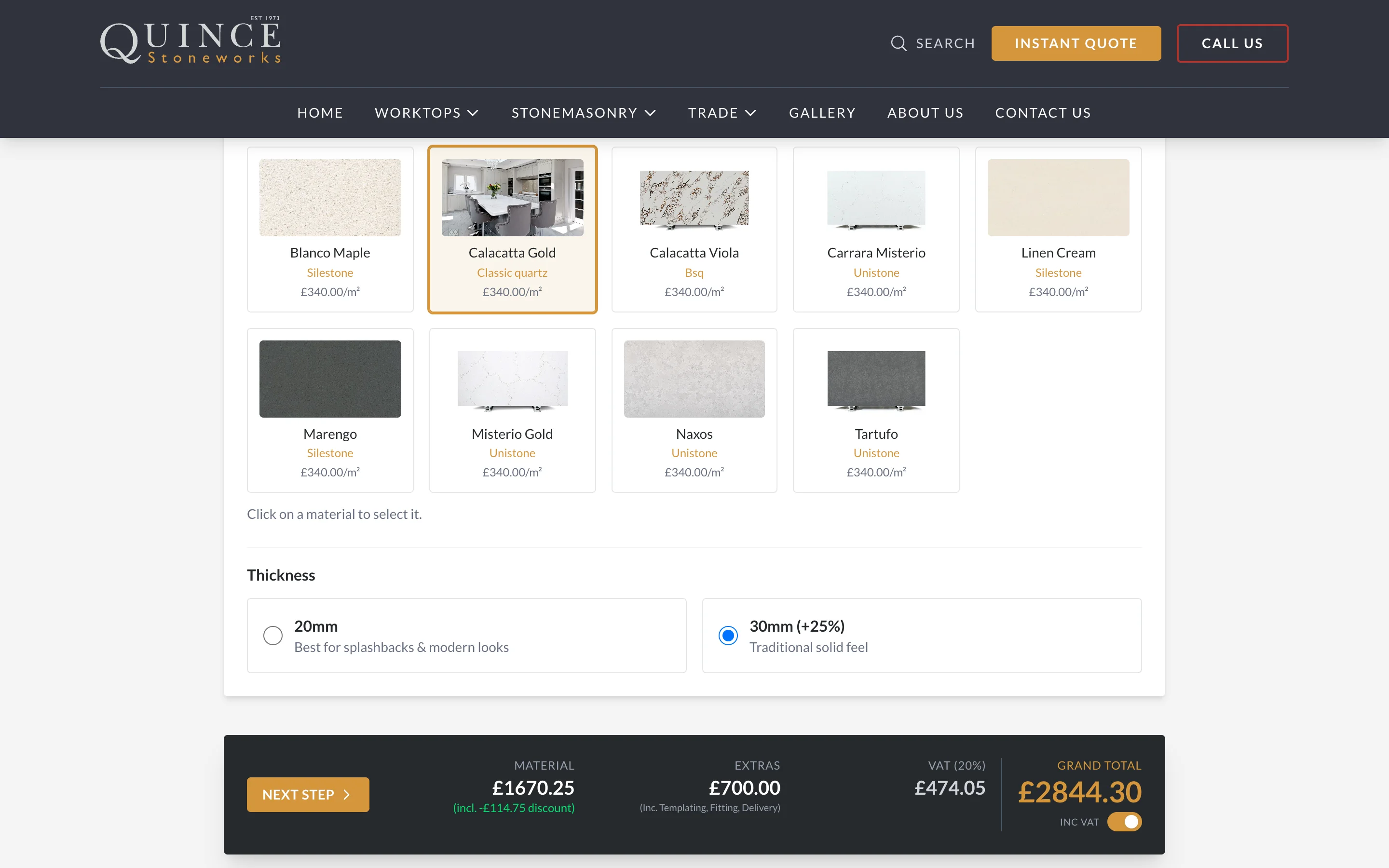
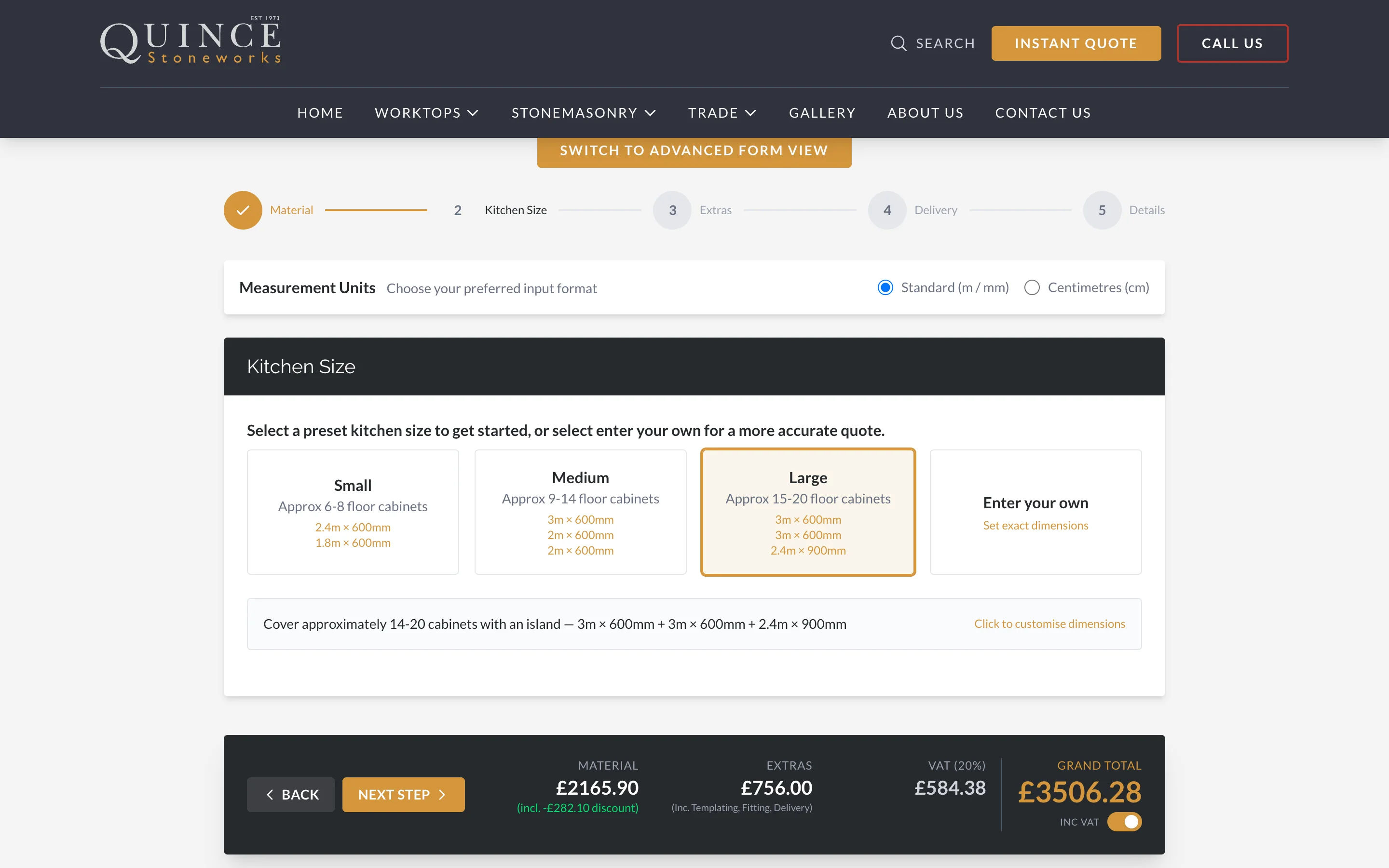
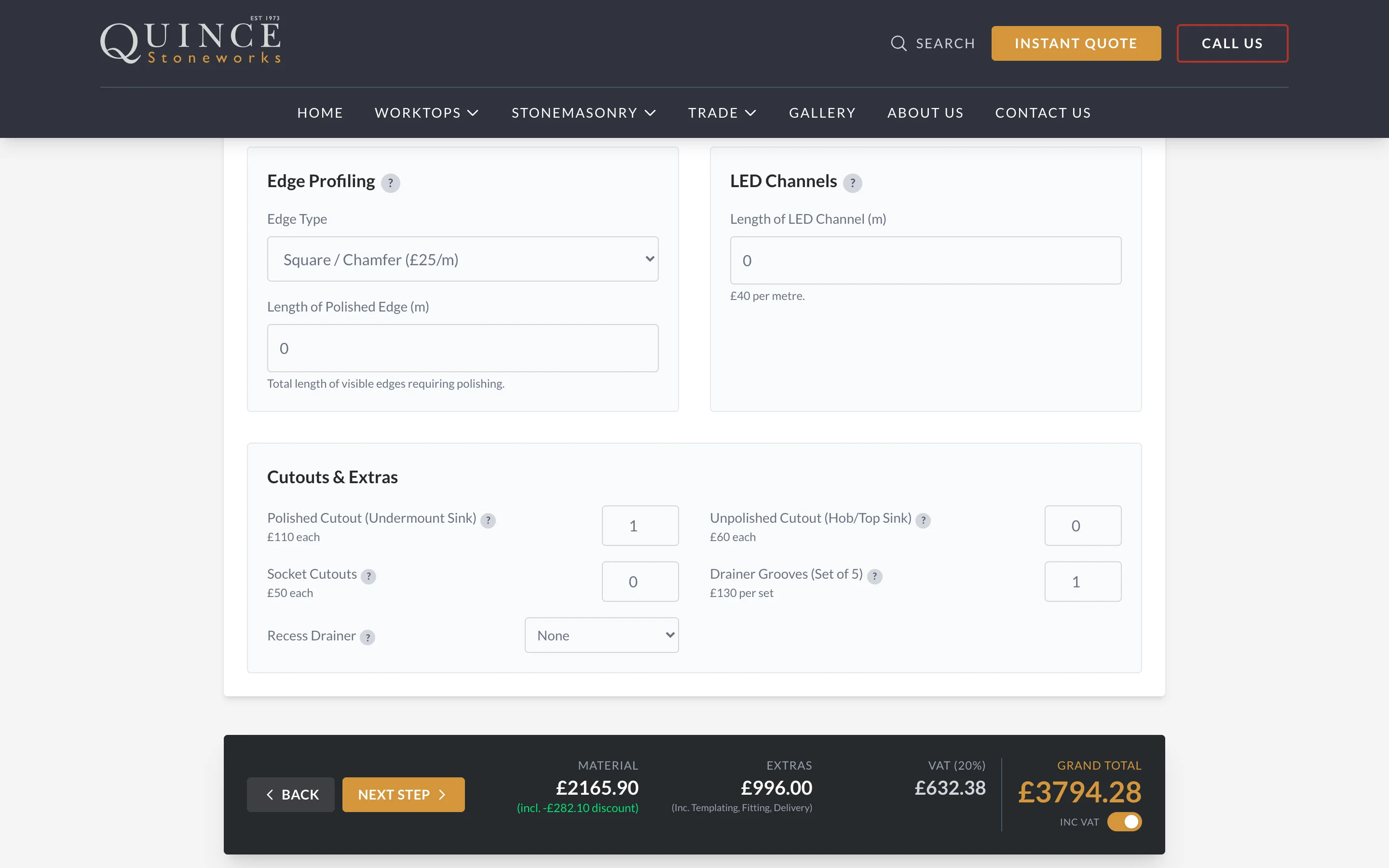
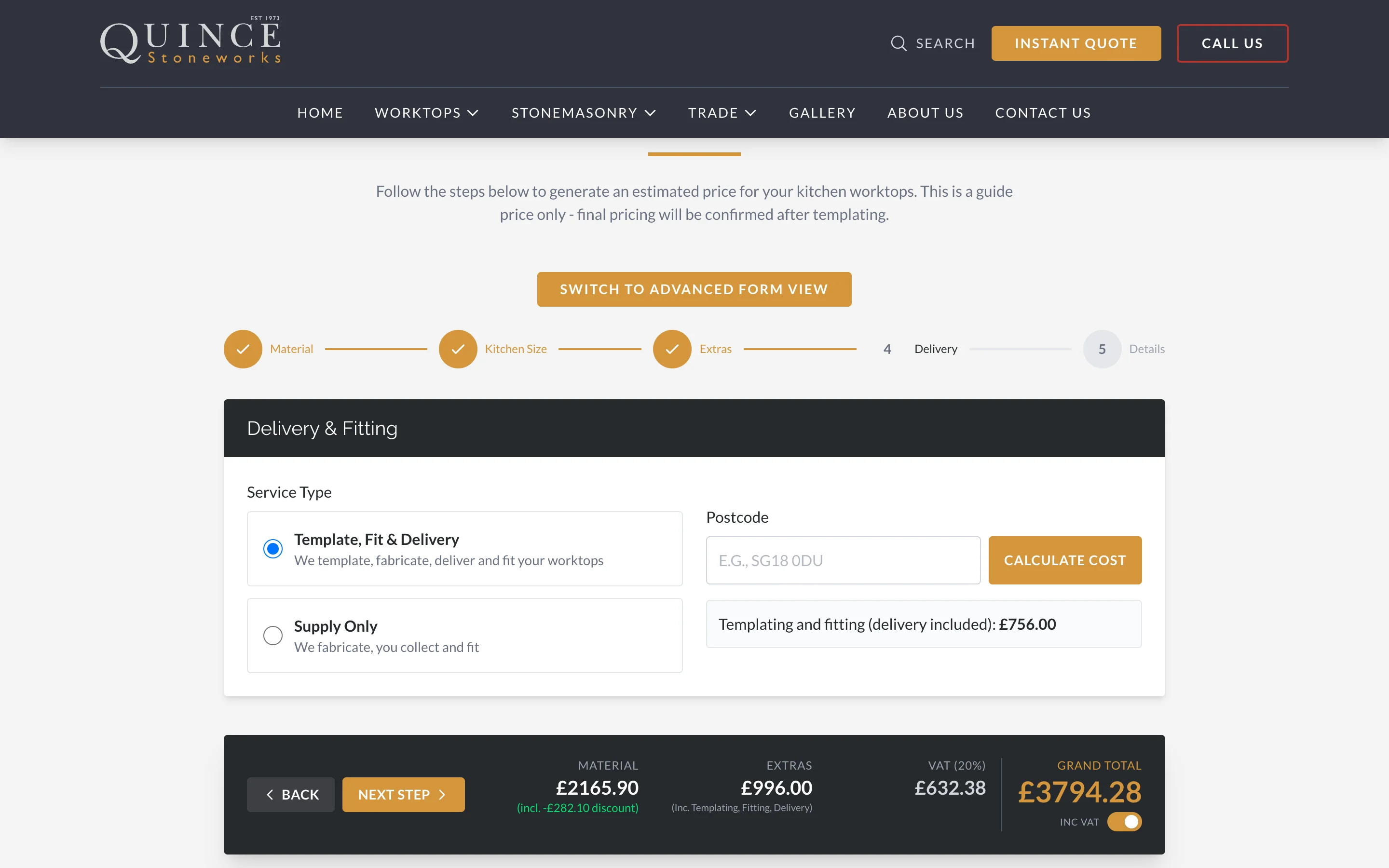
The form asks what a member of the team would ask, in the same order, and prices as it goes. The running total sits at the foot of the screen and changes with every choice.
-
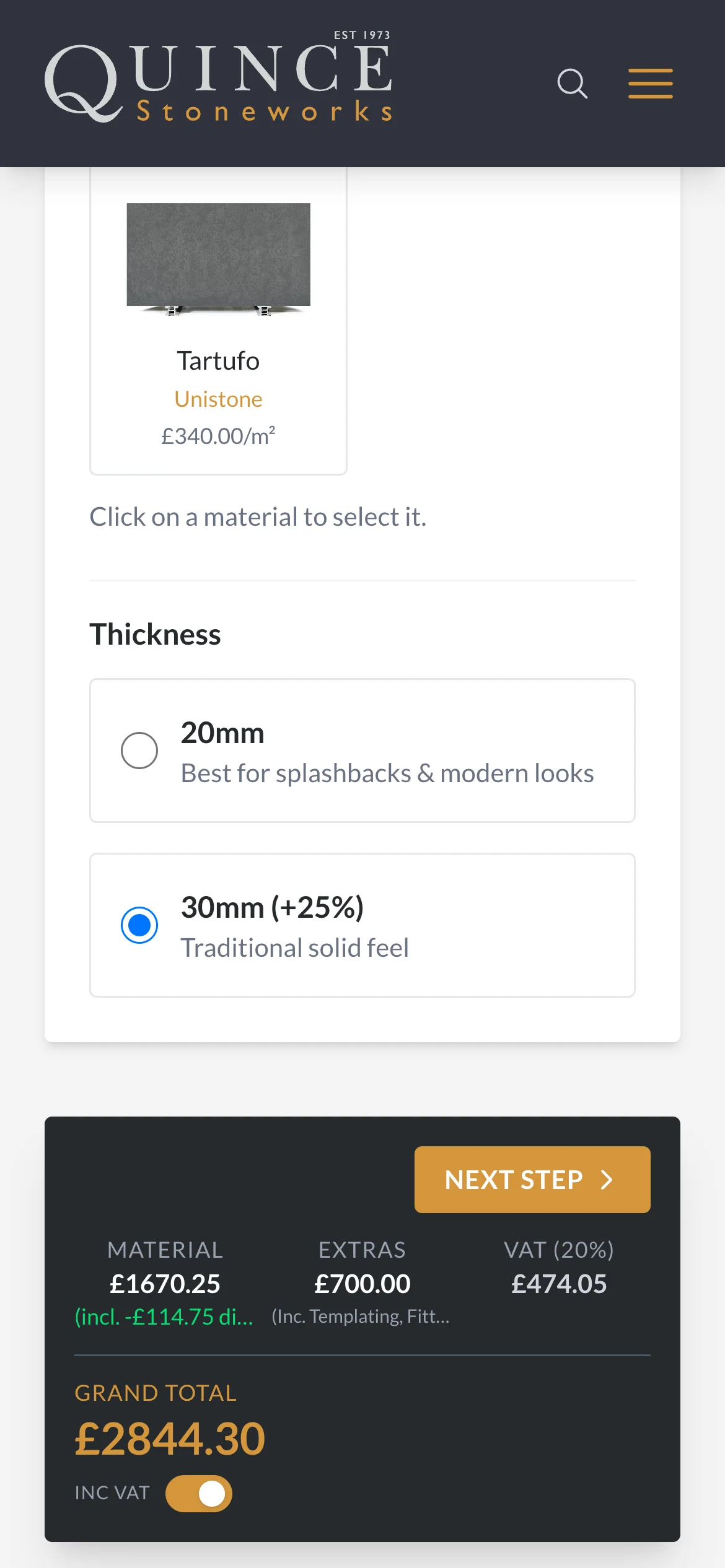
Choose a price band or a particular stone, then a 20mm or 30mm thickness. Stones the customer has just looked at in the catalogue are offered first.
-
Start from a small, medium or large kitchen, or enter each run of worktop by length and depth. The area and cost show beside every run.
-
Upstands, splashbacks and window sills, eight edge profiles, cut-outs for sinks, hobs and sockets, drainer grooves and LED channels. Each has a plain explanation beside it.
-
Template, fit and delivery, or supply only. A postcode finds the right delivery band.
-
A name, contact details and one tick to confirm this is a guide price, subject to templating.
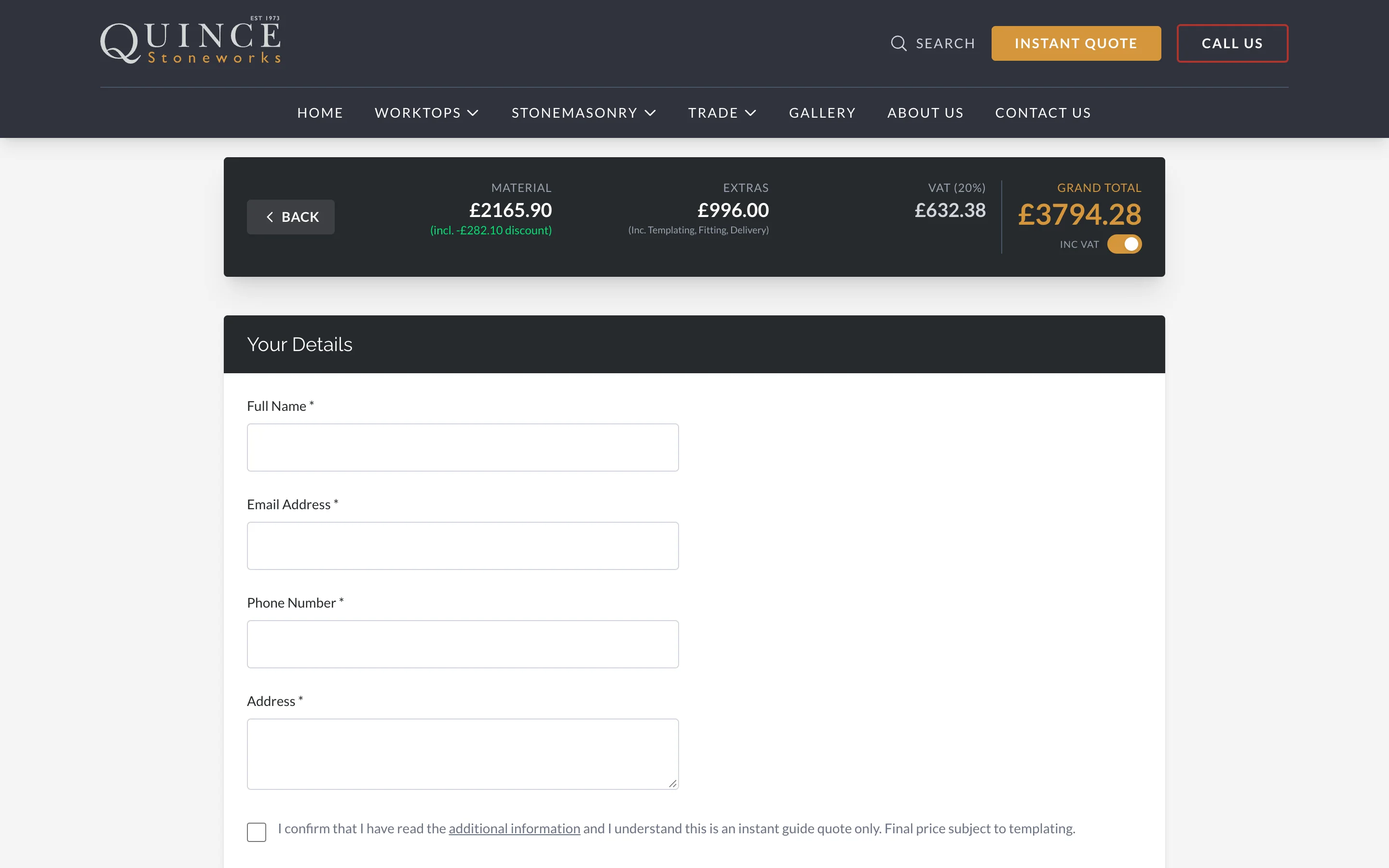
Two ways through People who know what they want can switch to one long form with every question on a single page. Both versions use the same pricing rules.
How the price is worked out
We wrote Quince Stoneworks’ own pricing into the form with them, rule by rule. Change the kitchen below and watch which rules apply.
What the form works out
- Area 4.20 m² 3 × 0.6 + 2 × 0.6 + 2 × 0.6
- Thickness 20mm Band rate per m², or the stone’s own
- Volume discount On Grows with the total run: 7 m
- Upstands 7 m Along the walls, at the 20mm rate
- Cut-outs 2 Sink polished, hob unpolished
- Drainer grooves 1 set Cut beside the sink
- VAT 20% Shown inc or ex VAT
Price, live
Same inputs, same price
AI in our work
AI does not work out the price. The rules are ordinary code and settings the team controls, so the same kitchen always gets the same figure.
What the customer gets
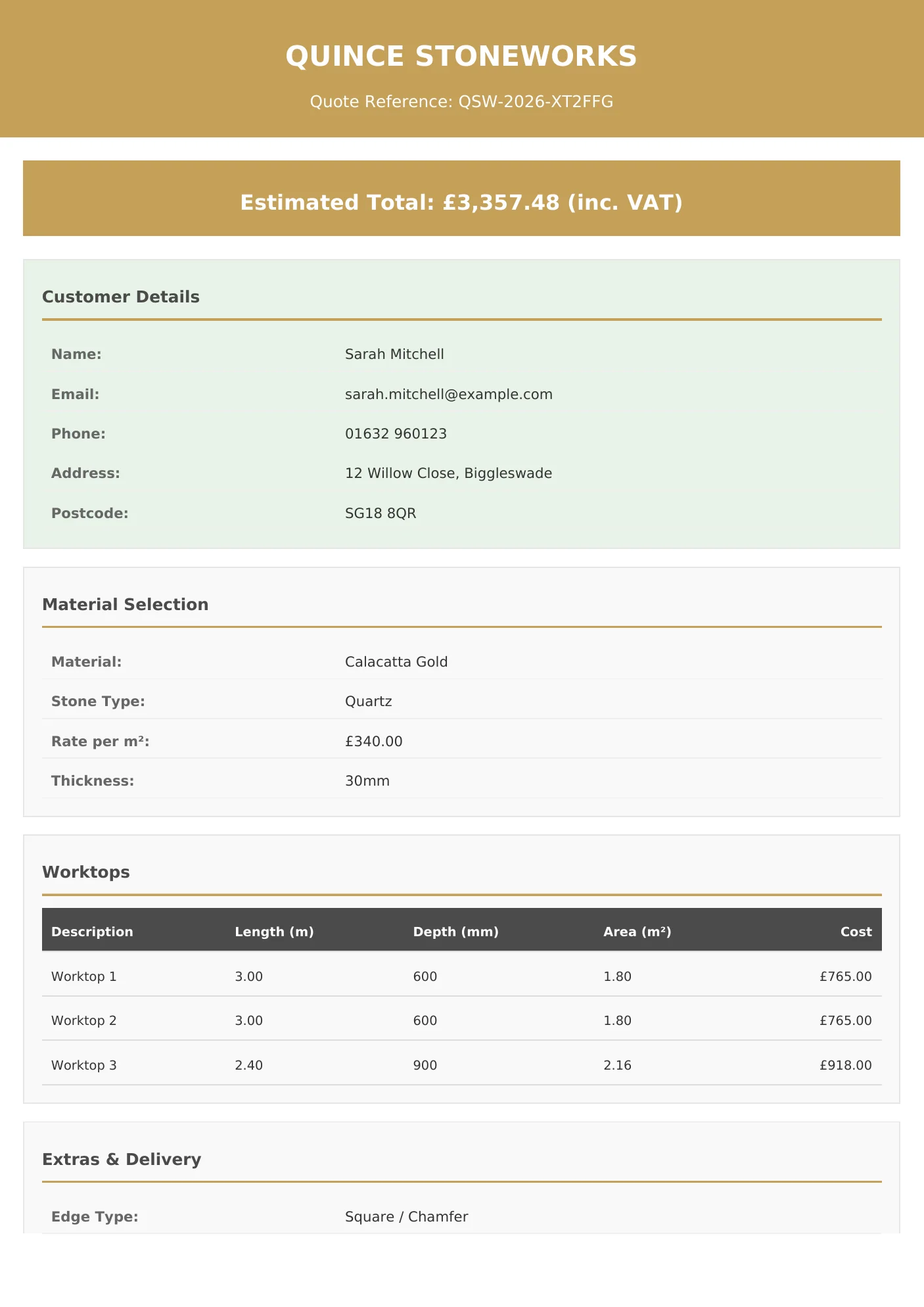
- A reference number on screen as soon as they send it
- The full quote as a branded PDF by email, straight away
- The same PDF sent to the sales team, so nobody retypes it
03 One system
The same quote online, in the showroom and on the phone
The team use the same form with a customer at the showroom counter or on a call, so a price given in person follows the same rules as one worked out online at midnight.
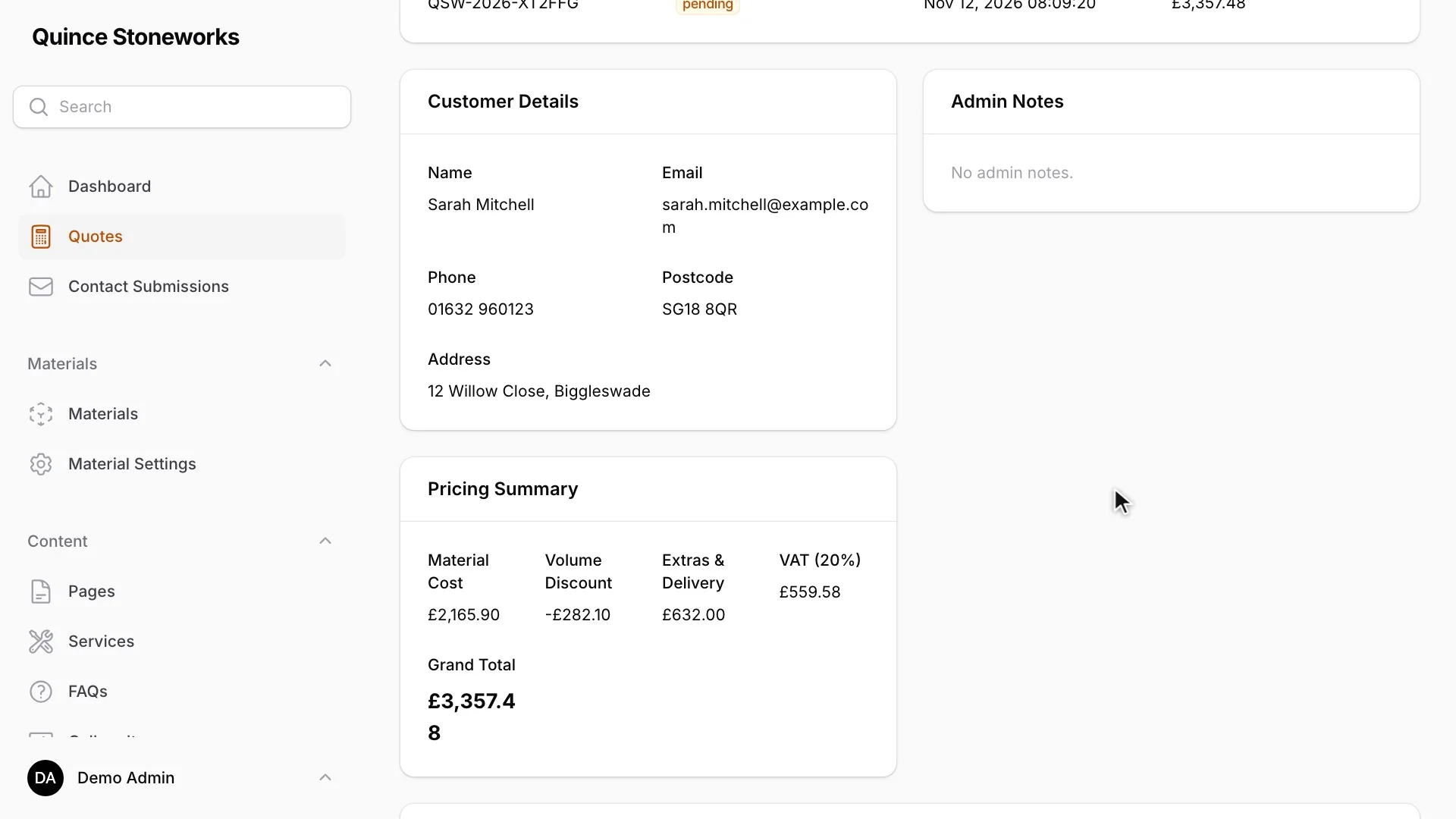
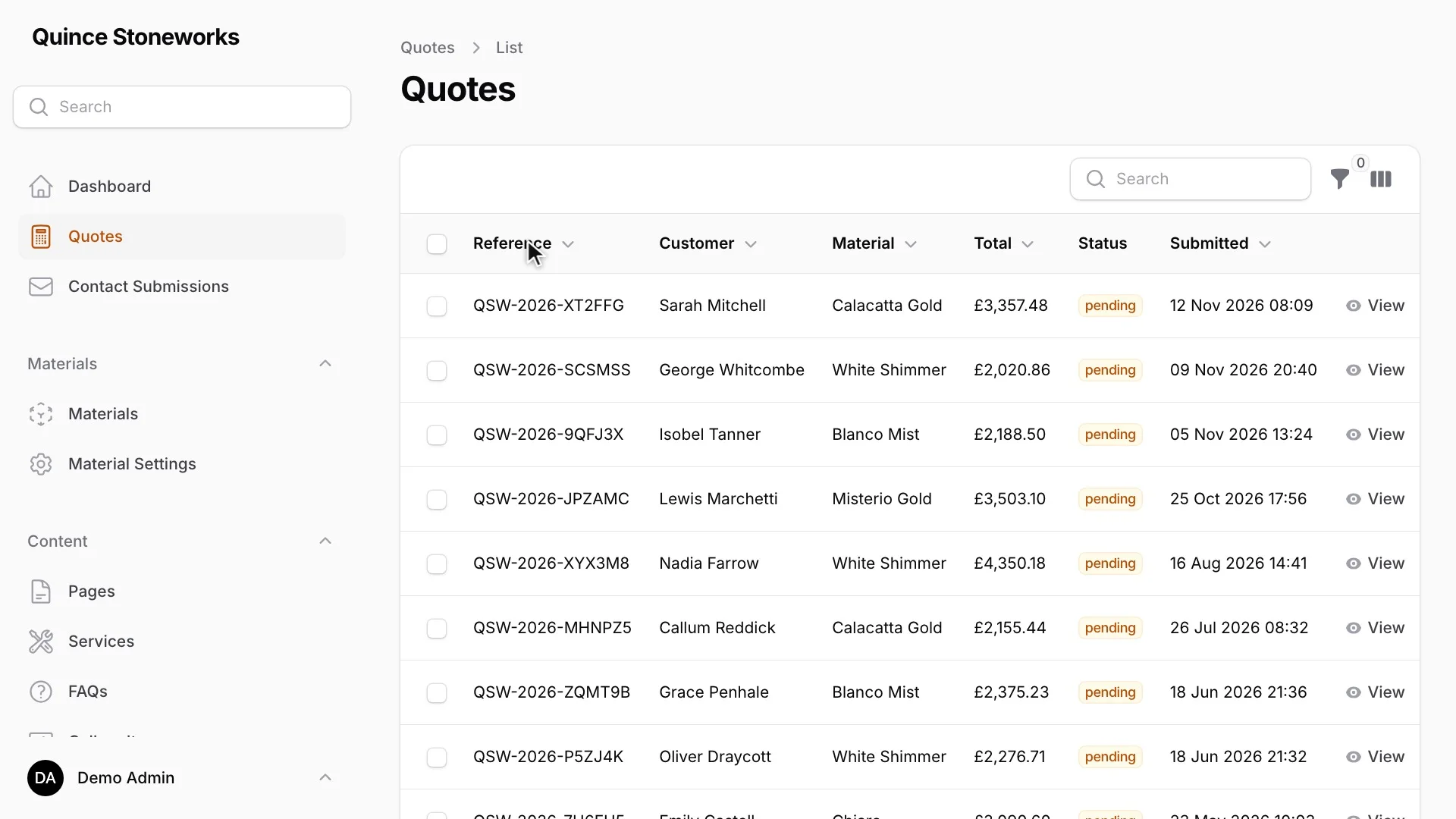
Every quote goes into an admin area we built around how the team works.
-
Every quote in one list
Each quote shows its reference, customer, material, total and status: pending, followed up, accepted or rejected.
-
Change a quote and send it again
The team reopens any quote in the same form, changes it and sends the customer an updated PDF.
-
Prices the team controls
The team sets the price bands, the rate for a single stone, the delivery bands and the postcodes. They add a new postcode list by uploading a spreadsheet.
-
See where people stop
A dashboard follows the form step by step. It shows who starts, where they leave, quote values by month and the stones people ask for most.
04 The catalogue
Over 1,000 stones, without the data entry
Quince Stoneworks gave us a list of their suppliers and the materials they offer. Turning that into a catalogue by hand means finding a photograph for every stone, checking it is still made and recording its colour and type, more than a thousand times over. We used AI for the repetitive part and kept people on the decisions.
From the client’s list to the live catalogue
-
The client’s list
Quince Stoneworks gave us a list of their suppliers and the materials each one offers.
-
AI sources and checks
AI finds each product’s image on the supplier’s site and checks the product is still in the current range.
-
AI tags each stone
AI reads each description and tags the stone’s colour and type.
-
One clean file
The file holds every stone with its name, brand, stone type, colour, description, image and related stones.
-
A person checks
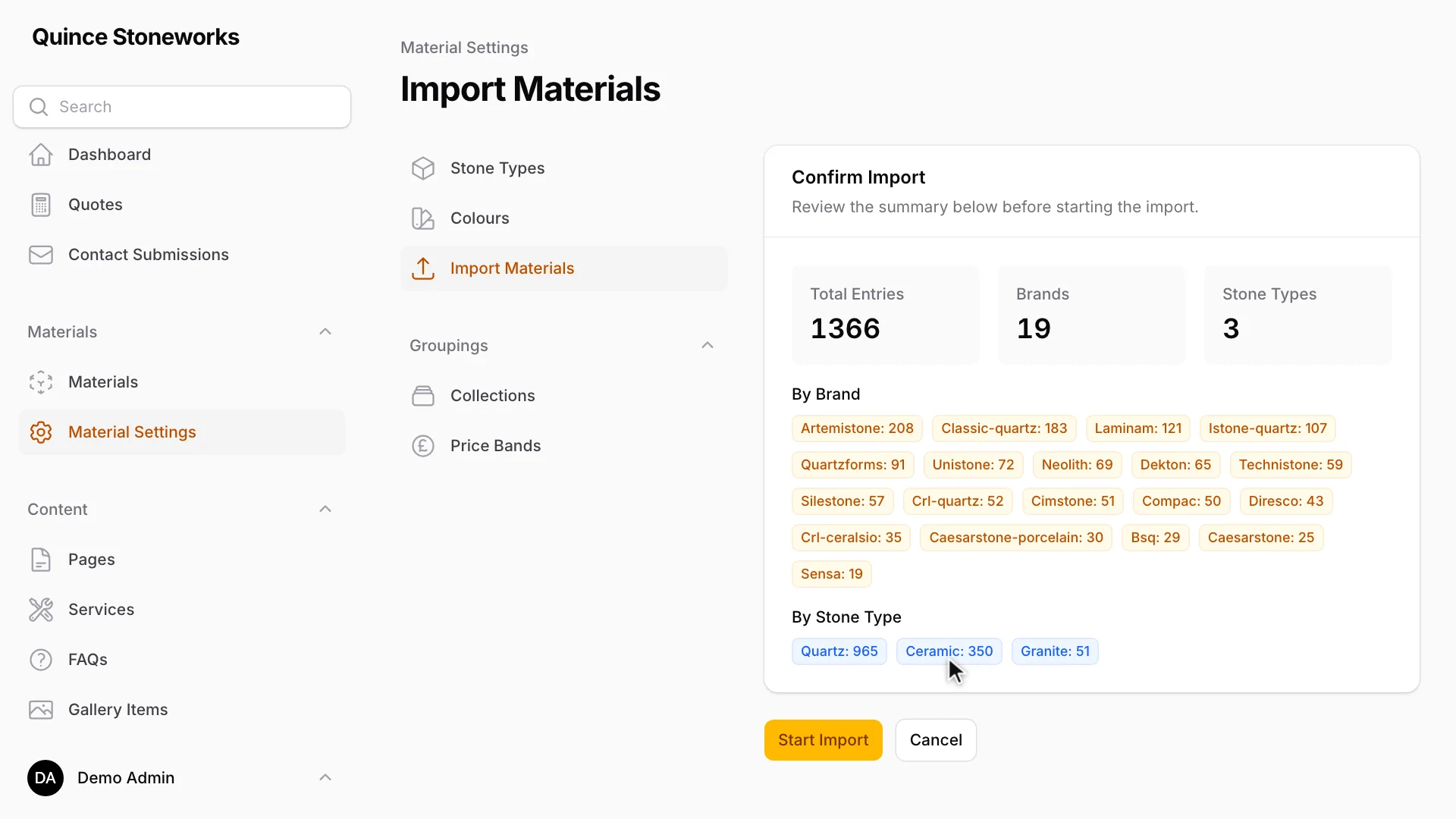
The importer validates the file and shows a summary, which someone confirms before anything goes live.
-
Imported in batches
The importer loads 25 rows at a time, downloads and optimises the images, and updates a stone with the same name and brand rather than adding it again.
-
The live catalogue
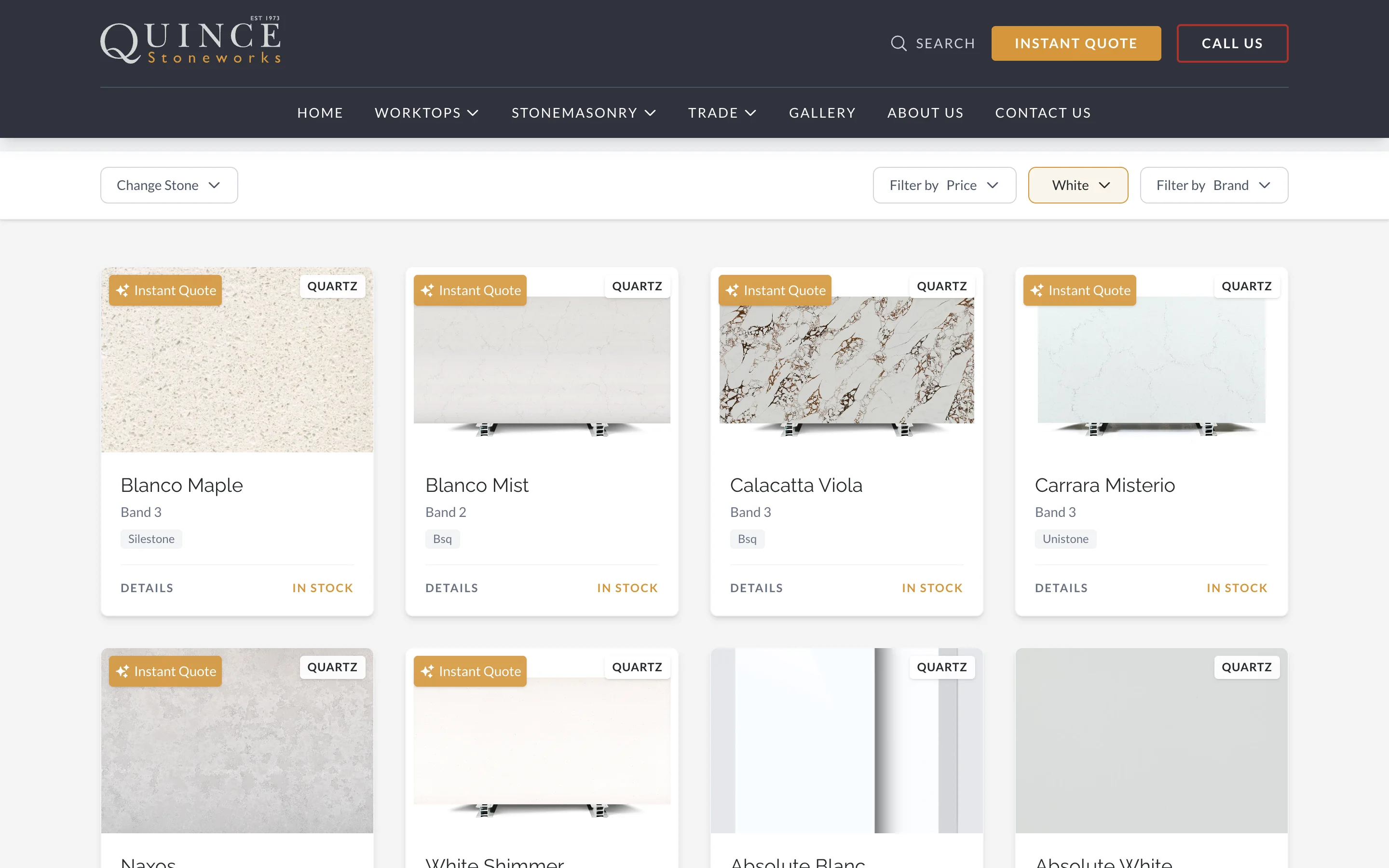
Customers filter more than 1,000 materials from 19 brands by colour, brand, stone type and price band. No AI runs on the site.
What customers see
The full range, filtered by colour, brand, stone type and price band. Someone who finds a stone they like can take it straight into the quote form.
05 AI in a small business
AI did the job nobody had time for
Quince Stoneworks asked us for a website, and AI was not in the brief. We used it where it saved the most work: sourcing, checking and tagging more than 1,000 products, with a person approving the result before it went live. We kept it out of the pricing, because a price has to be exact and the team has to be able to explain it.
Our AI Opportunity and Risk Review finds the uses that pay back in your organisation, makes the case with you and plans how to manage the risks.
What happens next
Rather talk now?
[email protected] +44 (0)1767 317614 Book a meeting (opens in a new tab)
Start here
What could AI do in your organisation?
Tell us where your team loses time or what worries you about AI, and we will talk it through with you.
-
 Travel & Tourism
CrossCountry Journeymaker App
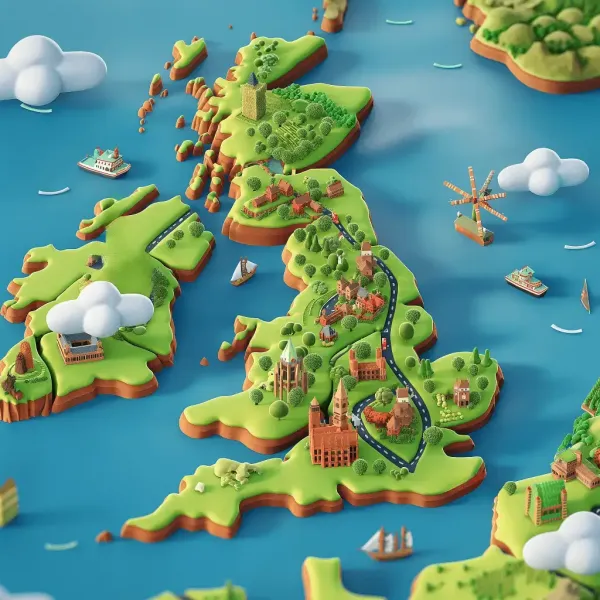
We partnered with CrossCountry Trains to create JourneyMaker, a free AR app packed with fun activities for young travellers. From...
Read the story
-
 Travel & Tourism
Delta Airlines
A fully immersive virtual reality experience including virtual reality cookie that you can pick up and even smell (it’s about as c...
Read the story
-
 Travel & Tourism
Mablethorpe Histories
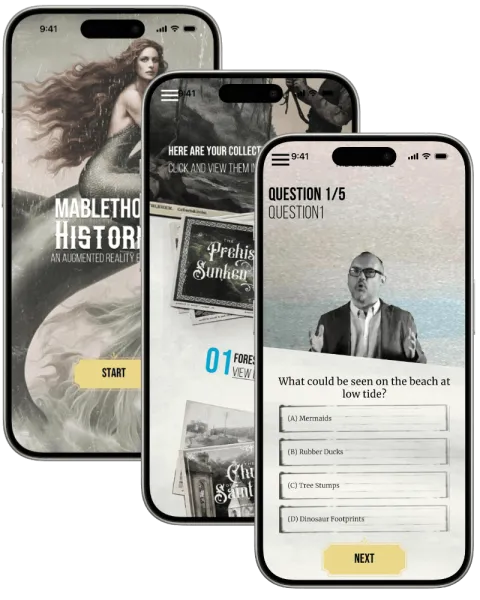
Experience Alderley Edge like never before this innovative mobile app. Using advanced geolocation technology, the app enhances you...
Read the story
Your turn
What’s your idea?
Tell us the idea you are trying to explain, launch or change, and together we will find the right way to tell it.