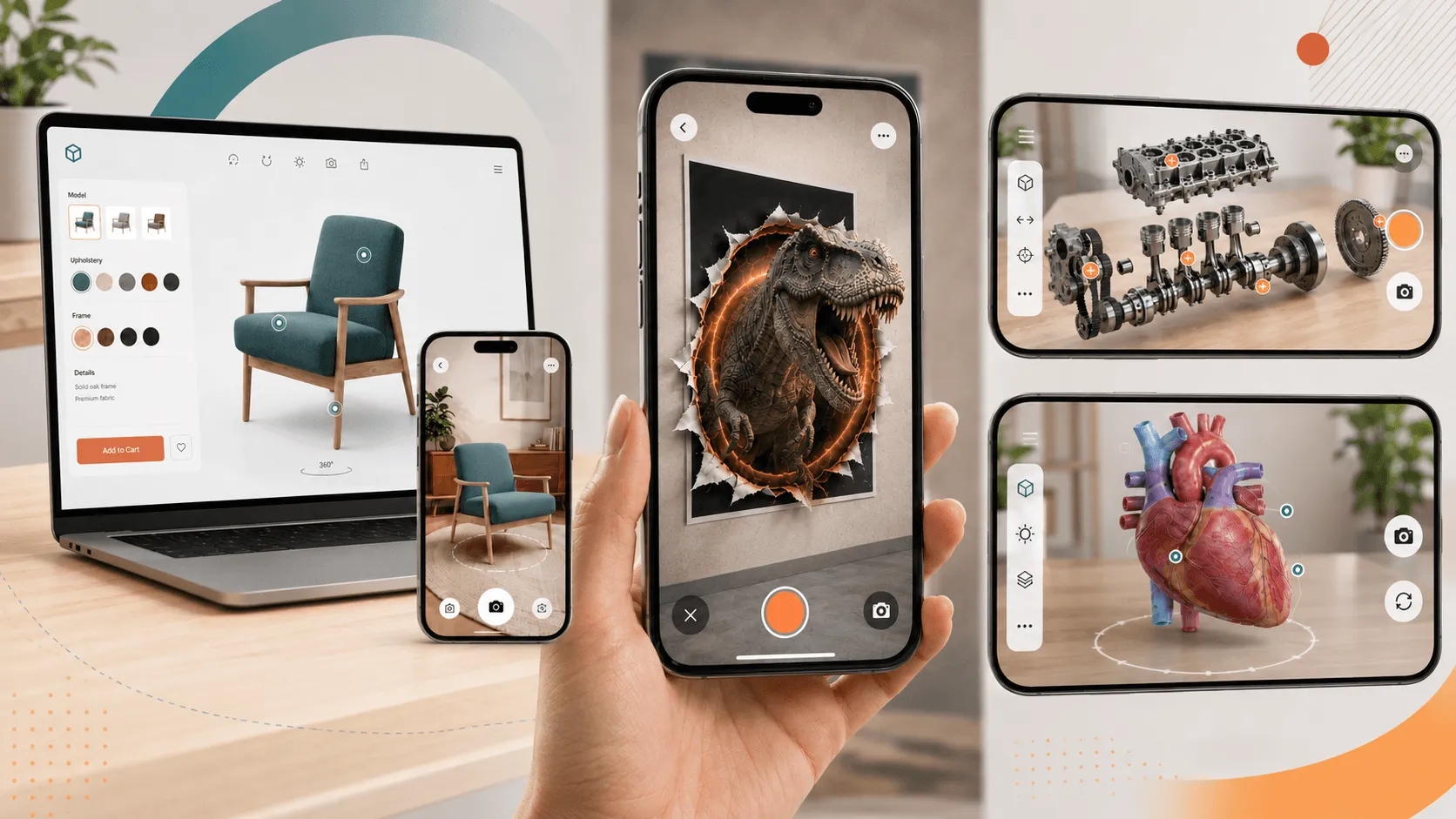
This is the second article in my short series on browser-based AR and how it can be used more practically across campaigns, products and customer experiences.
If you are planning an AR project, there is a good chance the word “app” comes up early.
That is understandable. For years, mobile AR has been closely linked with native apps. They can still be the right answer for many projects.
But they are no longer the only serious option.
In the first article in this series, I wrote about access. If your AR experience starts with an app download, a lot of people may never get to it.
This article is about the next assumption, that browser-based AR is the basic route. A simple 3D object. A camera view. A quick novelty. That view is out of date.
Modern browser-based AR can now support branded interfaces, custom on-screen controls, animated 3D content, effects, guided user journeys and interactive features. It can feel much closer to a lightweight app than many people expect, without sending the user through an app store first.
That changes how you can think about a project.
The web is not just a lighter access route. It can also be a serious delivery route for rich, useful immersive experiences.
It should feel designed, not bolted on
One of the problems with the phrase “web-based” is that people picture something plain.
But a good browser-based AR experience does not need to feel like a webpage with a camera view added to it.
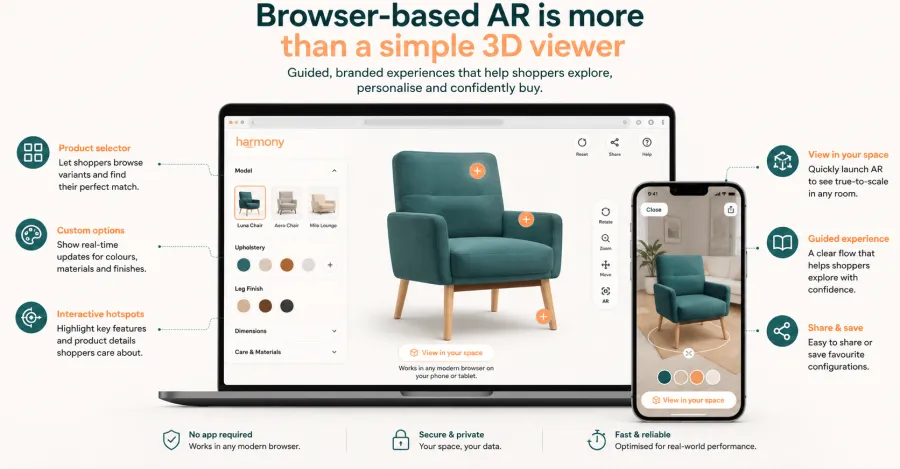
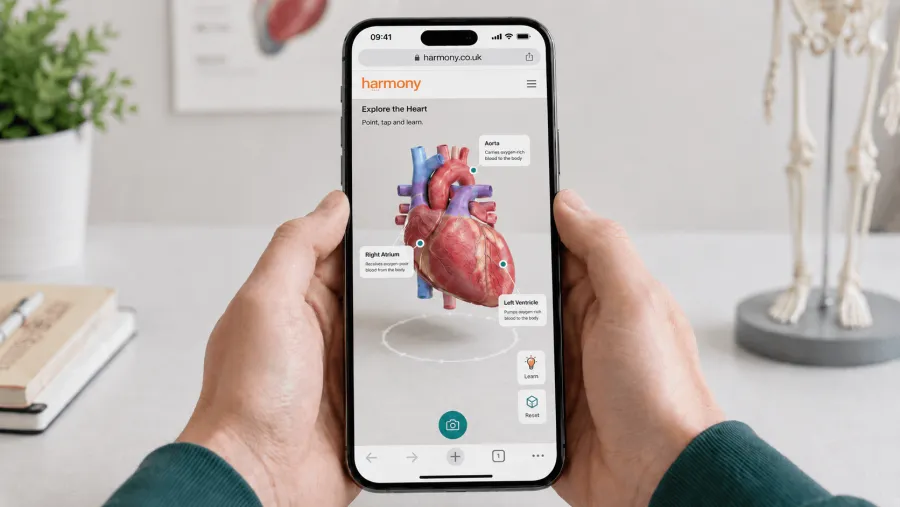
It can have a proper interface. It can guide the user. It can include branded controls, product selectors, buttons, instructions, hotspots, animations and calls to action. It can look and feel like part of the wider brand experience, rather than a separate technical demo.
That matters.
If the user does not know what to do next, they will leave. If the controls feel clumsy, they will not explore. If the experience feels disconnected from the campaign, website or product journey, it becomes harder to justify.
The interface is not decoration. It is what helps someone understand how to use the experience.
That is where browser-based AR has moved on a lot. It can now carry a much more considered user journey, while still keeping the access simple.
It can feel much closer to an app
For many projects, there is a useful middle ground between a basic web page and a full native app.
A browser-based AR experience can have a branded launch screen, custom navigation, product menus, interactive buttons, animation, guided steps and clear calls to action. It can feel intentional and polished.
You can also give users the option to save the experience to their home screen with a branded icon, so it is easy to return to later.
That does not make it the same as a native app. It is still the web, and there are still cases where a native build is the right answer.
But for many campaign, product and event experiences, this middle ground is very useful. The user gets something that feels considered and easy to use. The business avoids adding a download before the experience has even started.
That is often a better trade-off.
The creative options are broader than people expect
A lot of people still think of AR as placing one object into a room.
That can be useful. For retail and product visualisation, it can help someone understand scale, fit and detail before buying.
But it is only one use case.
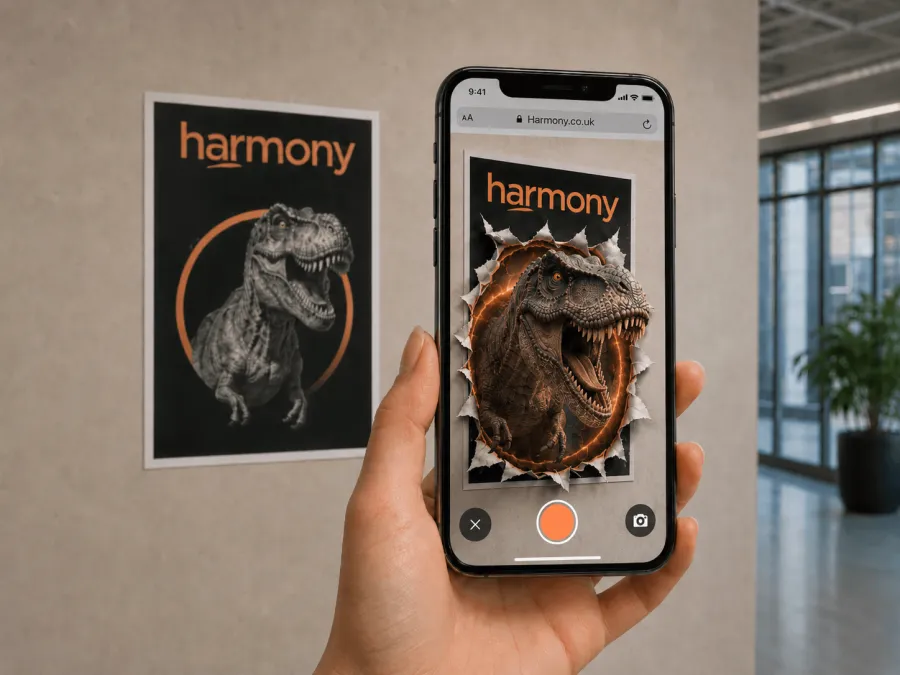
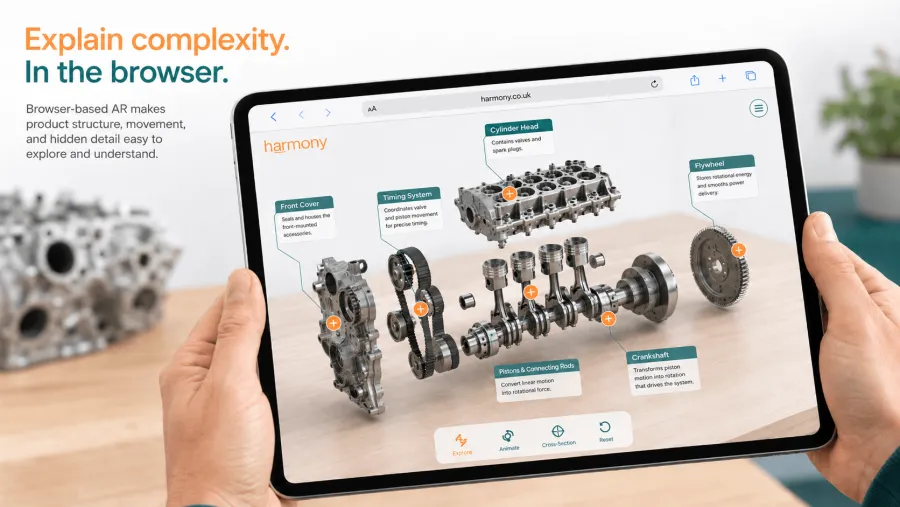
Browser-based AR can support animated products, interactive storytelling, image-triggered content, face effects, portals, games, spatial product demos and real-world overlays. It can be used to explain how something works, show different configurations, reveal hidden details or add digital content to a physical place.
A product can become easier to understand.
A piece of packaging can do more than carry a label.
A showroom can give people another way to compare options.
A poster can become the start of an experience, not just a signpost to a website.
A product page can move beyond flat images and video.
The useful question is not “can we add AR?”
It is: “what would AR help someone understand or do here?” That is where the work becomes more interesting.
Desktop still matters
AR is often discussed as if everything starts on a phone. In practice, the journey can be less tidy than that.
Someone might first find a product on a laptop. They might be researching at work. They might be looking through a campaign page on desktop. They might not be ready to open the camera yet.
That should not be a dead end.
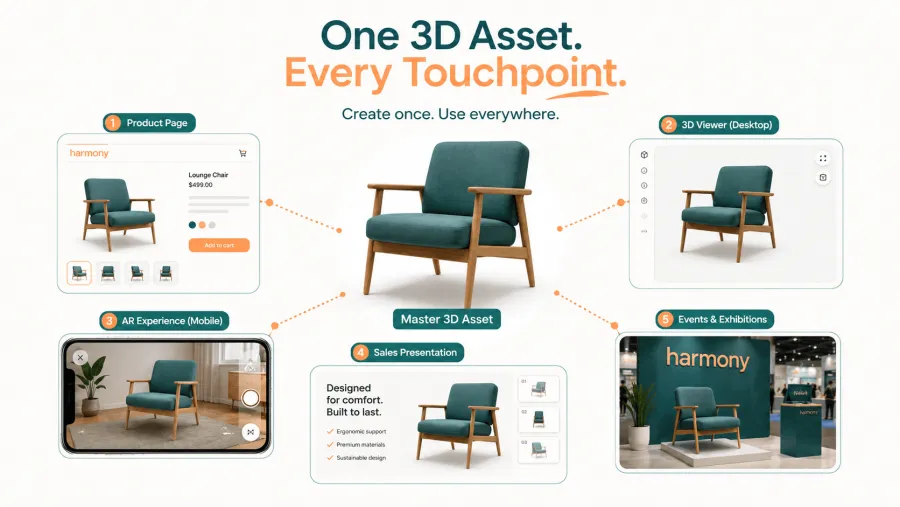
The same 3D asset can work as an interactive desktop viewer. A user can rotate, zoom and inspect the product in the browser, then move into AR later on mobile if they want to see it in their own space.
That makes the content work harder.
Instead of creating one mobile AR moment, you are creating a 3D asset that can support the website, the sales process, an event stand, a presentation and future campaign activity.
For clients, this is often where the value becomes easier to see. The asset is not just used once. It can become part of several touchpoints.
More features do not automatically mean a better experience
There is a trap with immersive technology.
Because you can add animation, effects, buttons and interactions, it is tempting to keep adding more.
That rarely helps.
A good AR experience starts with a clear job. Does the user need to understand scale? See a product in context? Compare options? Learn how something works? Interact with a physical space? Remember a campaign? Take the next step?
Once that is clear, the technology can support the job.
The stronger browser-based AR becomes, the more important this thinking is. Capability is useful, but only when it improves the experience. Otherwise it becomes noise.
Good AR should make something clearer, easier to explore or more memorable.
It should not make the user work harder.
The browser question should come early
I do not think the old comparison of “web equals basic, app equals advanced” really holds up now.
Native apps still have their place. If you need deep device features, heavy graphics, long-term accounts, complex offline use or regular repeat behaviour, an app may still be the right route.
But for a lot of public-facing AR work, browser-based delivery is no longer a compromise. It can be branded, interactive, polished and flexible. It can work across desktop and mobile. It can feel much more like an app than people expect. And it can still open from a link, QR code, product page or campaign.
So if you are planning an AR project, it is worth asking the browser question early.
Could the experience run from a link, QR code, product page or campaign page?
Could it give users the interface, animation, 3D content and branded journey they need without asking for an app download?
Could it work across desktop and mobile, rather than sitting inside one channel?
Sometimes the answer will still be no. A native app may still be the right route.
But it should be a decision, not an assumption.
For many campaigns, product demos, packaging experiences, events and customer journeys, browser-based AR can now do far more than people expect.
Next in the series
In the next article, I’ll look at the commercial case for browser-based AR: cost, measurement, reusable 3D assets, faster testing and why it can be a more practical starting point for many businesses.
Browser-based AR: a practical guide for brands and customer experiences
-
Does your AR experience really need an app?7 min read
-
Planning an AR project? Browser-based AR can do more than you might think9 min read
-

Kieran Sawyer has over 15 years of experience helping clients shape innovative digital and immersive solutions. He leads on strategy, combining commercial insight with creative technology to deliver impactful experiences.
May 26, 2026
9 min read